
Application
How should I prepare a date or batch-code job?
Choose the required text and size, confirm the selling model’s print area and trigger, then check readability on the actual surface with the intended ink. Retail orders do not require sample testing; use application evaluation when adhesion or integration is critical.
Content reviewed and revised: 2026-10-10. Application-test evidence pending.
Define the mark before choosing a model
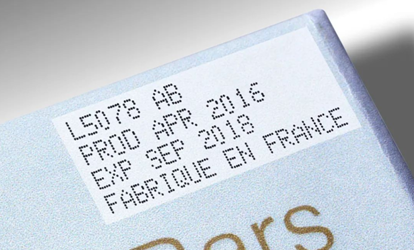
Record the literal text, font size, number of lines and available print area. Examples such as EXP 2027-08-24 and LOT A102 are layout examples, not sample-test results. Confirm whether the operator changes the text manually or requires automatic date, counter or variable-data behavior for the exact software revision.
Check positioning and triggering
Confirm the actual fixture, print distance, direction, required speed and pedal or sensor behavior against the source-aware model comparison. A trigger listed for PX1-M does not establish that the same accessory or interface ships with PX2-M.
Evaluate the real surface
Record substrate, coating, ink SKU, print settings and environmental conditions. Inspect legibility after the agreed interval and record the test method. No universal drying time, water resistance, rub resistance or food-contact approval is established here. See the ink and material guide.
Evidence and limits
The photographs on Applications show visible marks. Their model, ink and test conditions remain unconfirmed; they do not validate this job. Model specifications and current-revision gaps are listed on each product page.